Draw something kids’ heroes will wear
In Questburg kids finish quests, earn stars and spend them on dressing up their hero. Every item in the store is a tiny pixel picture. We invite artists to add their own.
The store has 124 items today — hair, capes, wings, swords, tails and backgrounds.
Send application


What you can draw
A hero is built from layers. Pick any — or several at once, as a set:
- Look
- Hair
- Beards
- Clothes
- On the back
- Right hand
- Left hand
- Hats
- Glasses & masks
- Animal ears
- Tails
- Backgrounds
Drawing rules
- A 64×64 px PNG with a transparent background. Backgrounds fill the whole canvas.
- Drawn over our mannequin, without moving or changing it.
- A 1 px outline in #3b2a25. Light comes from the top left: three tones per material.
- No anti-aliasing or half-transparent pixels: a pixel is either there or not.
- Colour is part of the picture: a red cap and a blue cap are two items.
- For kids aged 5–10: no realistic weapons, no blood, no brands or other people’s characters.


Objects for the land
Every hero has an island — a land made of tiles. Kids put trees, furniture, houses, paths and little things on it. You can draw those too.
- Isometric: a tile is a 48×24 px diamond. An object takes from 1×1 to 6×6 tiles.
- The image width follows the tiles exactly: (width + depth) × 24 + 2 px. The height is whatever you need, up to 128 px above the ground.
- The bottom of the image is the near corner of the object’s tiles plus one pixel for the outline.
- One view only. Turning an object on the land is a mirror, so no lettering or anything that can’t be flipped.
- Light from the top left: the top is light, the left face is the base colour, the right face is in shade. Same outline — #3b2a25.
- Mark paths, rugs and flowers as walkable — the hero walks over them.
- An object can be upgradable: send images of the next levels in the same size and a price for each upgrade (the levels field in the API). Without them the object simply has no levels.
- A house can be entered: give the side of the room inside, 4 to 16 tiles (the interior field in the API). Kids furnish the room themselves.
- An object can be for your family only: it goes through the same review but never shows up in the shared store. For that we link your key to a family — send us the email of your account.
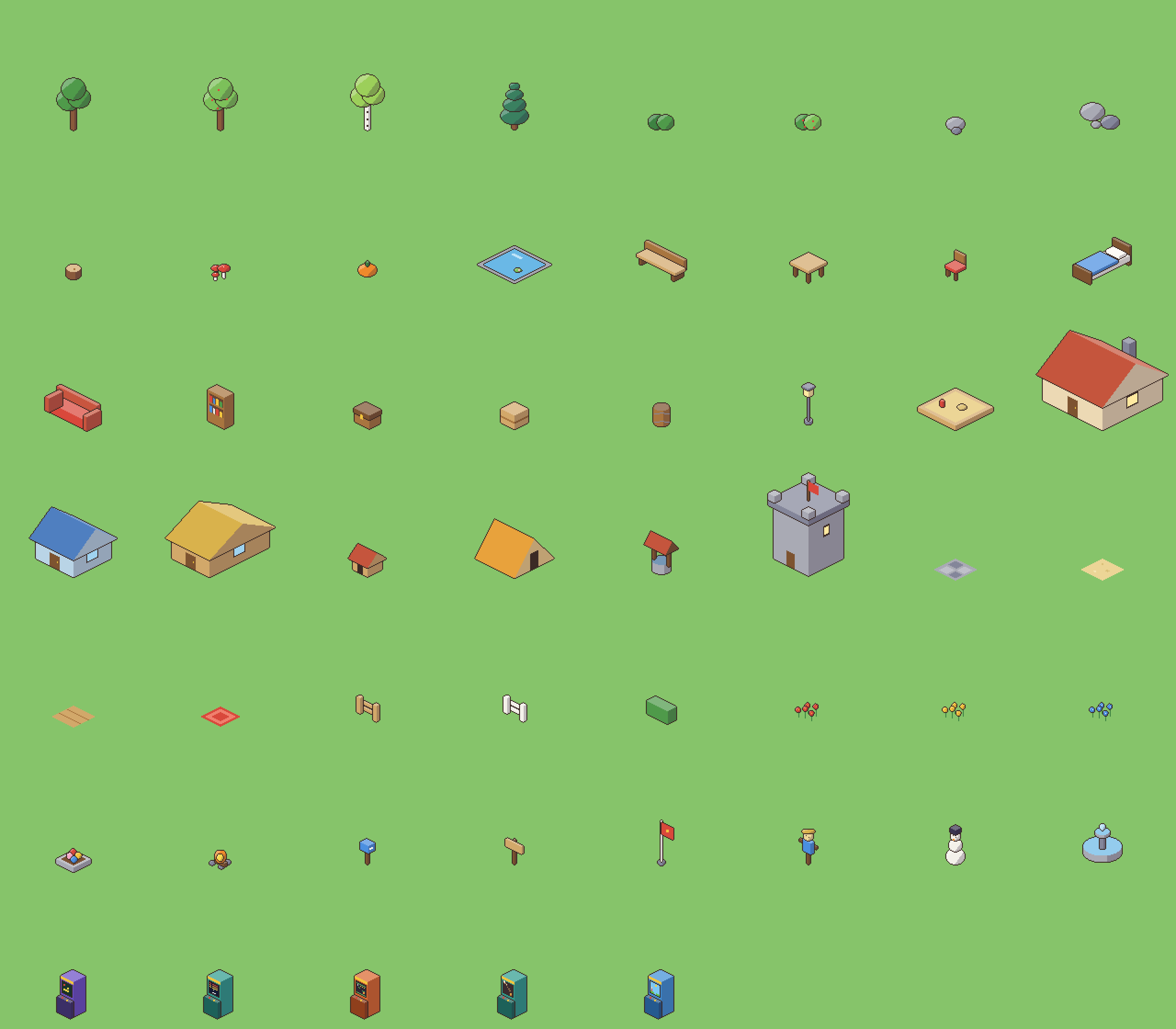
Our set — for scale and style
How it works
- 1
Apply
Your name, email and a link to your work. We reply within a few days.
- 2
Get a creator key
It arrives by email. With the key you send items and see what happens to them.
- 3
Send your items
In the creator studio: pick an image, see it fitted on the hero and send it. If you work with a script or an AI agent, there is an API. Up to 100 items can wait for review at once.
- 4
We look and reply
What fits goes to the store with a price in stars. If something is off, we tell you what to fix and you send it again.
The honest terms
- We don’t pay for items yet: Questburg is free right now.
- The creator’s name is kept with every item they made.
- By sending an item you confirm you drew it yourself and let Questburg use it in the app and on the website for free.
- We don’t take other people’s art, art from packs without a suitable licence, or unedited generated images.
- Until an item is in the store you can withdraw it. An item kids have already bought stays with them.
No scripts needed — the creator studio shows everything you sent, statuses and replies, and lets you send hero items and land objects right there. Open the studio
If you send with a script or an agent
The key goes in the header Authorization: Bearer qbm_… The first request returns all the rules, slots with depths and links to the mannequin.
GET /api/v1/makerWho I am, rules, slots, limits.GET /api/v1/maker/itemsMy items and their statuses.POST /api/v1/maker/itemsPropose an item.DELETE /api/v1/maker/items/{code}Withdraw before approval.